

29 Oct 2026
How to embed a gem
First you need an item with at least one open socket (see Socketed items) and one or more Gems. Then open the Forging window:
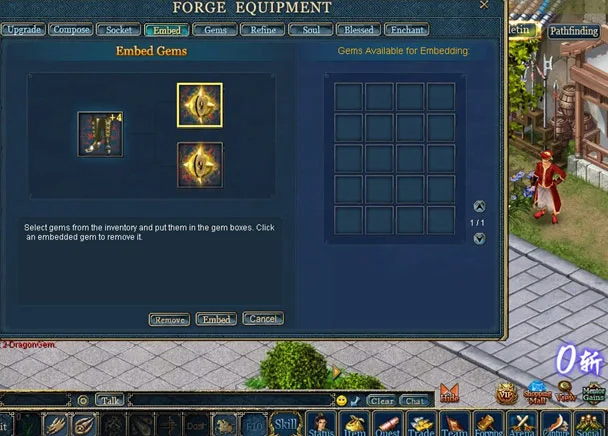
- Pick the socketed item from the inventory list on the left.
- Drag the gems from your inventory into the gem boxes.
- Click Embed. The gem's bonus now works on the item.
You can also talk to the Gem Insetter (192,205): open his socketing window, put the socketed item in the big slot and the gem in the small slot, then click to socket it.
Removing gems
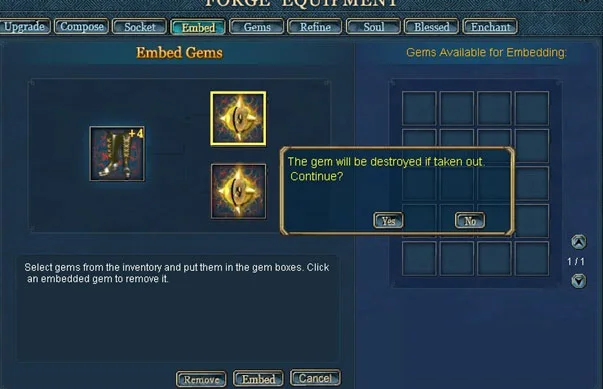
The same window has a Remove button. It takes the gem out of the socket, but the gem disappears: you do not get it back.
To get better gems without buying them, see Gem composition.
Sources
Game pictures: © TQ Digital / NetDragon · co.99.com