29 Oct 2026
What it is
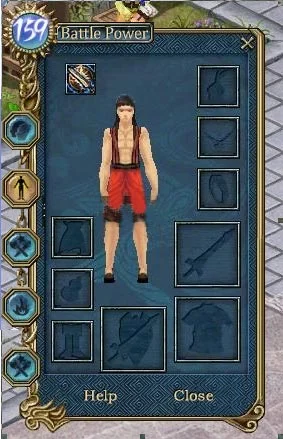
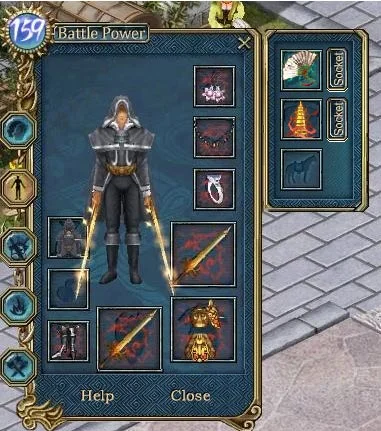
Next to the normal equipment window there is a second, alternative one. It has exactly the same slots, and you can switch between the two sets whenever you want, for example to keep one setup for hunting and another for fighting players.
How to use it
- Open your status window and click "Alternative" to see the alternative equipment window.
- Drag items from your bag into the matching slots.
- Use the main/alternative switch button to change sets. You can drag that button onto your shortcut bar for quick swaps.

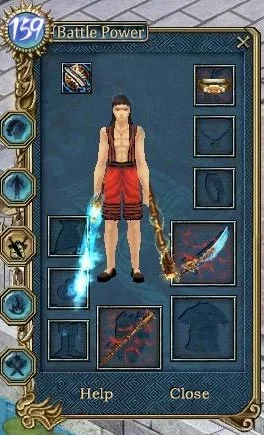
You do not have to fill every slot. Any slot left empty in the alternative set keeps using the item from your main set. For example, if the alternative set only holds a Trojan Coronet, a blade and a club, switching to it changes your headgear and weapons, and everything else stays as in your main set.
Rules to remember
- Only items in the main set can be upgraded. Move a piece back to the main set before you improve it.
- When you are Rebirth (first reborn), only the main set is turned into gear for your new low level. Alternative items that are too high for you are taken off.
- If your level or attributes fall below what your main set needs, you will not be able to put that main set back on.
Sources
Game pictures: © TQ Digital / NetDragon · co.99.com