29 Oct 2026
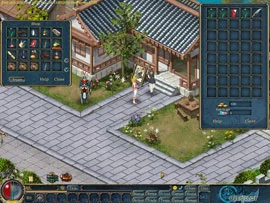
Buying and selling with merchants
- Click the merchant NPC who sells what you want. Their goods open on the left and your bag on the right.
- To buy, right-click the item or drag it into your bag.
- To sell, drag something you no longer need from your bag into the merchant's window.
Trading with another player
| Step | What to do |
|---|---|
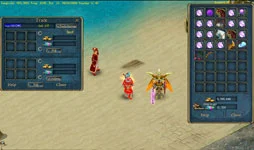
| 1 | Click Trade, then the player. If they accept, the trade window opens with your bag beside it. |
| 2 | Type the amount of silver or CPs and click Confirm. After that you cannot change it unless you cancel and start again. |
| 3 | Drag your items into the window, check the amount once more and click OK. The trade is done when both players click OK. |
Your own stall in the Market
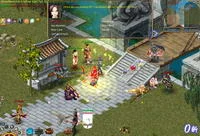
- Talk to the Conductress near the gate of any town and she sends you to the Market.
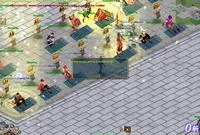
- Find an empty booth in the vending area and click its shop flag to start.
- Click your stall, drag in the items you want to sell and set a price for each.
- Use Hawk to write a slogan that shows above your shop and draws buyers. Click Settle when you want to stop selling.
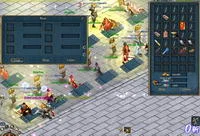
The warehouse
- Every city has a warehouse. Type an amount at the top of its window and click Deposit or Withdraw to store or take out silver.
- Drag items into the storage slots, or click them to move them back to your bag. Most items can be stored, but some quest items and special items cannot.
- Warehouses are not linked for items: take your items out of the same city where you left them. Stored silver, though, can be reached from any of them.
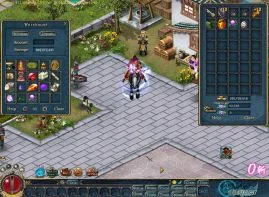
To protect your belongings, set a secondary password under Setting. It is made of numbers only, up to nine digits, and it is asked for in actions involving CPs, including opening the warehouse. If you forget it, you can ask for a reset, which takes 7 days.
Equipping your gear
- Weapons and armour raise your character's Battle Power. First check that you meet the item's requirements.
- Right-click it in your bag, or open Item and Status and drag it to its slot.
- To take it off, open Status and double-click the piece. It goes back into your bag.
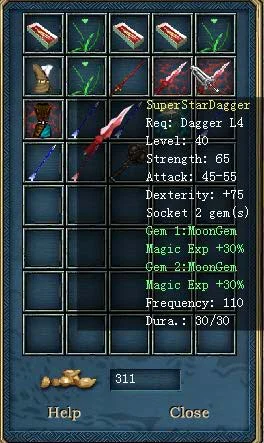
Once you know the basics, learn how gear gets better with item quality and plus levels.
Sources
- Official guide: Buy/Sell
- Official guide: Trade
- Official guide: Marketplace
- Official guide: Warehouse
- Official guide: Equip/Un-equip
Game pictures: © TQ Digital / NetDragon · co.99.com