

29 Oct 2026
Sending a whisper
A whisper is a private chat between you and one other player; nobody else sees it. Switch the chat to the Whisper channel, hold Shift and click the player you want to talk to, then type your message.
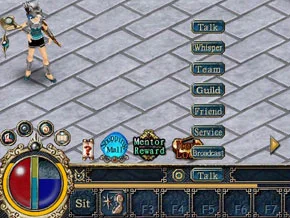
Reading and replying
When someone whispers to you, a small picture of that player appears just above the input field. Click it to open the whisper window, write in the box at the bottom and press Send to answer.
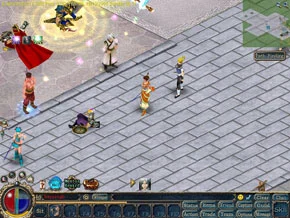
- Talking to more than 6 players at once? A chat list button opens so you can switch between them.
- You can drag the chat windows out of the game screen to keep them out of the way.

Buttons in the whisper window
| Picture | Button | What it does |
|---|---|---|
 | Expression | Sends an emote to the other player |
 | Chat Log | Shows your chat history |
 | Black list | Shows the players you blocked |
 | Mate | Shows the name of the other player's spouse |
| Detail | Shows the other player's basic status |
Team chat
To talk to everyone in your team at once, pick the Team channel and type. When teammates write to you, a book icon appears above the input field; click it to open the team chat.
Sources
Game pictures: © TQ Digital / NetDragon · co.99.com
