29 Oct 2026
Step 1: log in to a server
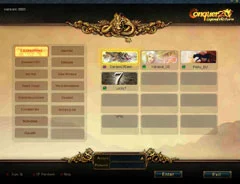
- On the login screen, the server groups are on the left and their servers are shown as pictures on the right. Pick the one you like.
- Each server holds one character per account, so choose carefully.
- Type your account name and password, then press Enter. If it fails, check what you typed and try again.

Step 2: class and gender
Male characters stand on the left and female characters on the right. Click one to watch its moves in the middle of the screen and read a short description of the class, then press Okay.
| Class | Good for |
|---|---|
| Trojan | Players who want to charge in and hit hard with two weapons. |
| Warrior | Players who like to be tough: heaviest armour, and the only class with shields. |
| Archer | Hunting from a distance and hitting many monsters at once. |
| Taoist | Magic users. Later you choose the path: Fire Taoist for damage or Water Taoist for healing and reviving. |
| Ninja | Speed and deadly hits, if you can live with the lowest defence and HP. |
| Monk / Saint | Martial fighting plus buffs that help the whole team. |
| Pirate | Rapier and pistol play with risky loot: the people you kill drop items more often, and so do you. |
Step 3: look and name
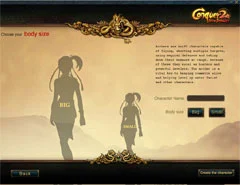
- Each class has two looks for each gender. They are only style: both are equally strong in combat.
- Type a name in the box in the middle of the window. Offensive names are not allowed.
- Press Okay. If the name is already taken, try another one until it works.
That's it: your hero is ready. Next, get to know the game screen and controls, and read what Conquer Online is about if you have not yet.
Sources
Game pictures: © TQ Digital / NetDragon · co.99.com